5 free add-ons for Claude Code, and what each one changes
Five free add-ons for Claude Code: memory between sessions, smaller requests, backup models and a setup check. What each one changes, and how to undo it.
Luís Rodrigues8 min read
Two things slow most people down in Claude Code. You hit your usage limit halfway through a task, and every new session starts from zero, so you explain the project again. Both have free fixes, shared on GitHub by people who hit the same walls.
This guide covers five: a gateway that switches models when you run out, memory that carries over between sessions, a compressor that shrinks each request, Anthropic's own setup check, and a skill that improves your other skills. For each you get what it does, how to install it, what it changes and how to undo it. If you only open Claude Code once a week for small jobs, you probably need none of them: CLAUDE.md and the built-in memory cover the basics.
Before you start
- Claude Code. In a terminal, or the Code tab of the Claude desktop app.
- Node.js and Python. Some installers need one or the other. Claude Code can check for you.
- One at a time. Install one, use it for a day, then add the next, so you know which one broke what.
Before you install anything from GitHub, including these five, have Claude read it for you:
Before I install anything, read this repository: [PASTE THE GITHUB LINK]

Tell me, in plain English and under 200 words:
1. What it installs, and where on my computer.
2. What it changes in my Claude Code setup (settings, hooks, other tools it adds).
3. Where my code and prompts go when it runs: stays on my machine, or sent to a service (which one).
4. How to remove it completely.

Don't install anything. If the README doesn't answer one of these, say so.
1. OmniRoute: keep working when you hit a limit
OmniRoute is a gateway on your computer that passes Claude Code's requests to a model provider, and moves to the next provider on your list when one runs out or fails. It lists 357 providers, 152 with a free tier. It's MIT licensed, on GitHub.
npm install -g omniroute
omniroute
A dashboard opens at localhost:20128, where you connect providers. Before the first launch, copy ~/.claude/settings.json somewhere safe, then preview what would run. --dry-run shows the provider and model without starting anything:
omniroute run claude --model auto --dry-runIf it looks right, run the same command without --dry-run.
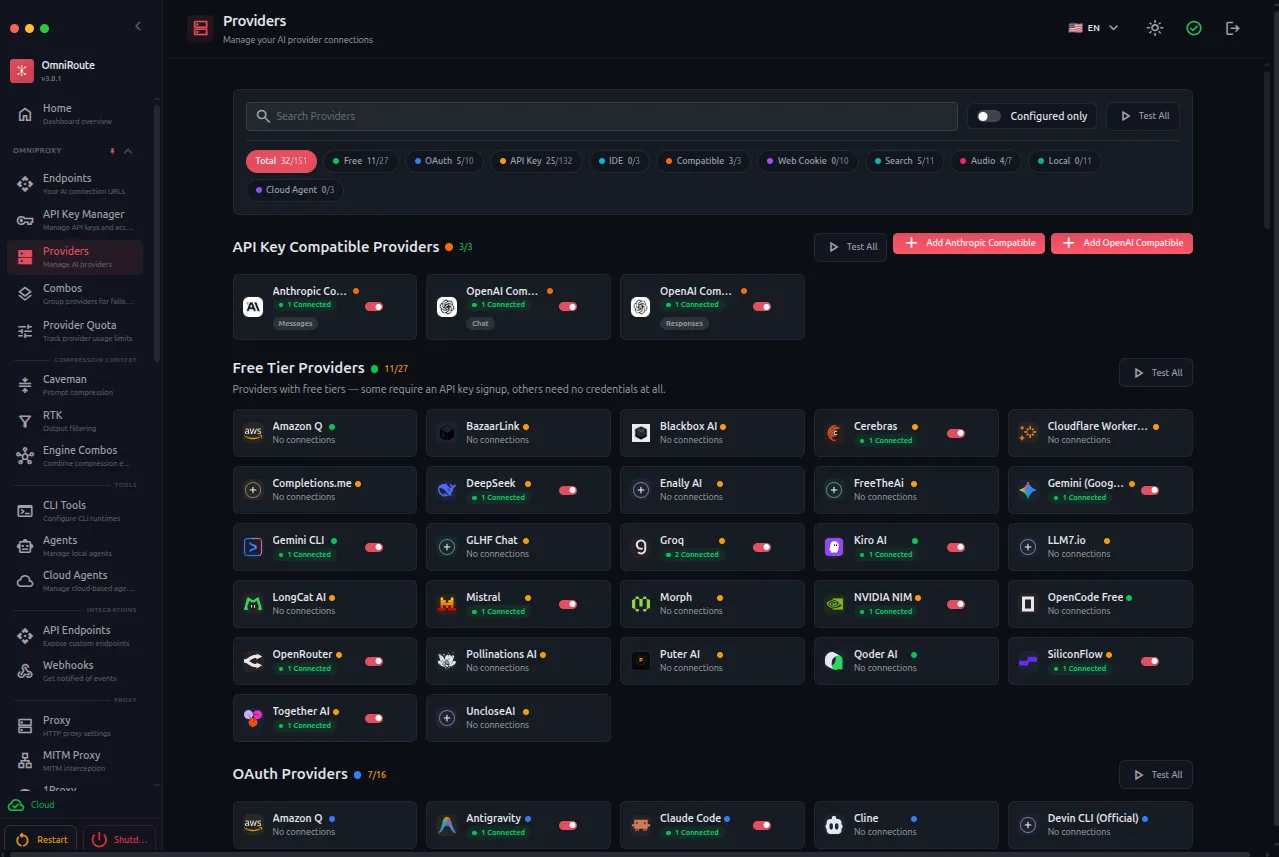
Help me set up OmniRoute (github.com/diegosouzapw/OmniRoute) as a fallback for when I run out of usage.

1. Check that Node.js is installed, then install OmniRoute. Show me each command before you run it.
2. Start it and tell me the dashboard address.
3. Walk me through connecting two free providers from its Providers page. Use only free providers for now.
4. Show me a --dry-run preview of starting Claude Code through OmniRoute, then the real command, and how to start Claude Code normally again.
What it changes: a global npm program and a settings folder, ~/.omniroute. It doesn't rewrite your Claude Code settings. How to undo it: start Claude Code the normal way and run npm uninstall -g omniroute.
2. claude-mem: memory between sessions
claude-mem records what happens in your sessions (files touched, decisions, fixes), turns it into short summaries and feeds the relevant ones into your next session. It's Apache 2.0 licensed, on GitHub. Inside Claude Code:
/plugin marketplace add thedotmack/claude-mem
/plugin install claude-mem
Restart Claude Code. A viewer in your browser shows what it stored, and anything wrapped in <private> tags isn't saved.
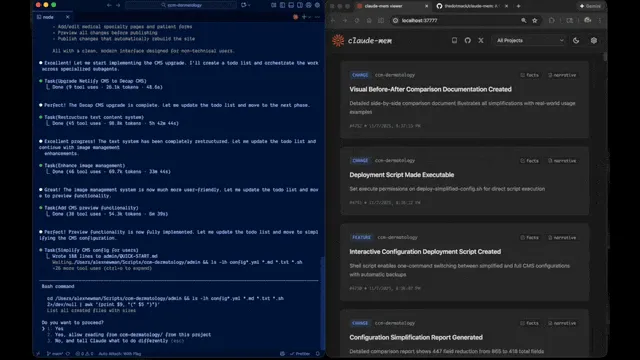
After a day or two, start a fresh session and check what it kept:
What do you remember about this project from earlier sessions?

1. List the 10 most useful things you know, each with the date it was saved.
2. Mark anything that looks out of date.
3. Flag anything that looks like a password, key, client name or personal detail, so I can remove it.
What it changes: a local database in ~/.claude-mem, a background service, and hooks in every session. The summaries use tokens, from your Claude plan or a provider you pick. How to undo it: /plugin uninstall claude-mem, then delete ~/.claude-mem.
3. Headroom: smaller requests, same answers
Every request carries file contents, logs and tool output. Headroom compresses that text on your computer before it's sent, and keeps the originals so the model can ask for the full version. It's Apache 2.0 licensed, on GitHub.
pip install "headroom-ai[all]"
headroom wrap claude
headroom wrap claude launches Claude Code through the compressor, so use it every time. headroom dashboard shows what it saved.
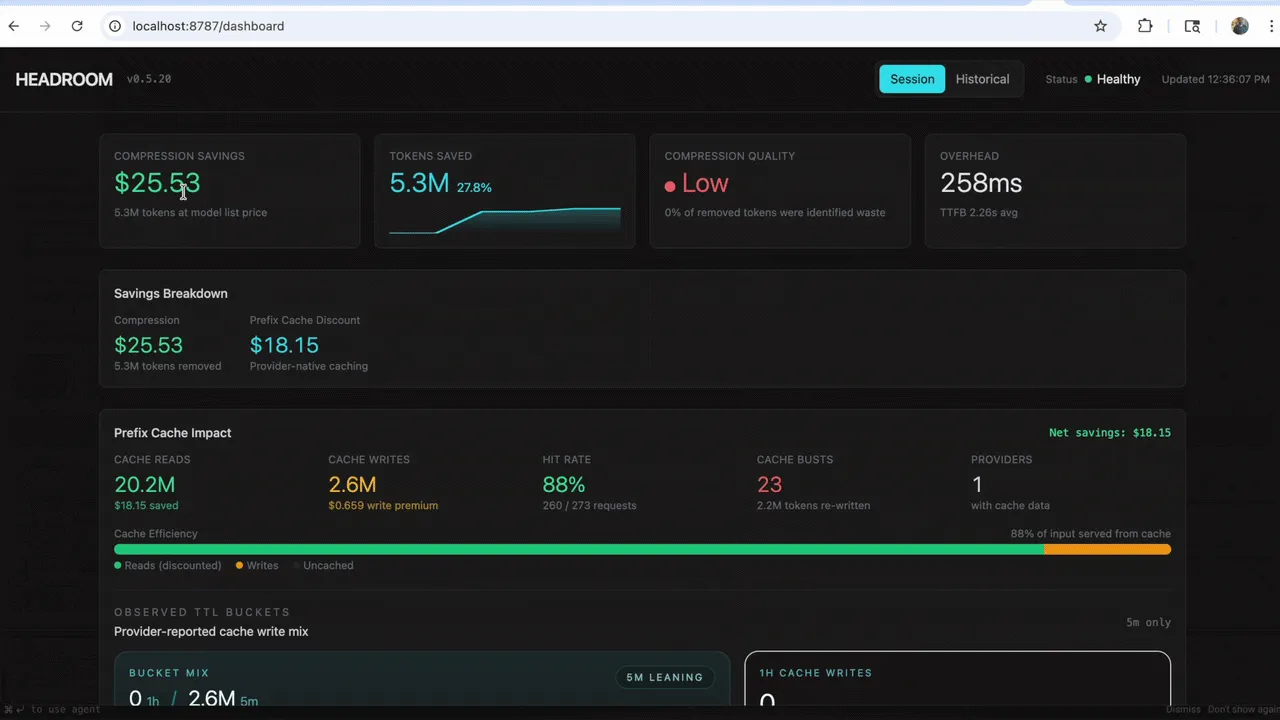
In Headroom's own tests, savings ranged from 21% on code search to 57% on debugging with long logs. Repetitive output shrinks most, prose barely at all. After a day, check your own number:
Run "headroom savings" and "headroom doctor", then tell me in plain English:

1. How many tokens Headroom saved, and what percentage that is.
2. Which kinds of requests saved the most and the least.
3. Whether any requests failed or looked wrong because of compression.
4. Whether it's worth keeping for the way I work, in one sentence.
What it changes: a local proxy while you use it, plus Serena, a code navigation tool that wrap installs for all your projects (skip it with --code-memory none). How to undo it: headroom unwrap claude, then pip uninstall headroom-ai.
4. claude-code-setup: Anthropic's setup check
Made by Anthropic and in its official plugin directory. It reads your project and recommends what's worth adding: hooks (actions that run automatically, like formatting after every edit), skills, subagents (specialised helpers, like a security reviewer) and MCP servers (connections to outside tools). It never changes a file.
/plugin install claude-code-setup@claude-plugins-official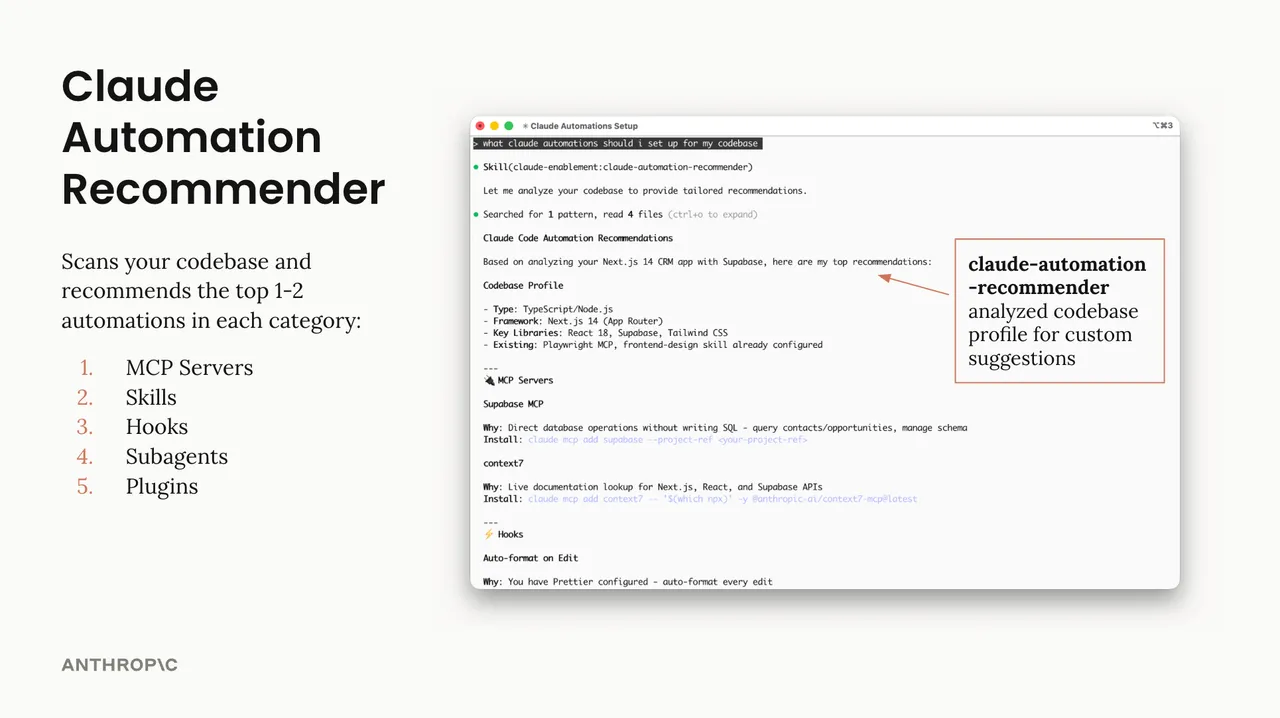
Recommend Claude Code automations for this project.

1. Give me the top one or two in each category: hooks, skills, subagents, MCP servers.
2. For each, say why it fits this project specifically, based on files you actually read.
3. Give the exact install command and what it would change.
4. Tell me which single one to add first, and why.

Don't install anything. I'll choose.
What it changes: nothing but the plugin. How to undo it: /plugin uninstall claude-code-setup.
5. task-observer: skills that improve as you work
Most skills stay exactly as written. task-observer watches your sessions for corrections you make, jobs you repeat that no skill covers, and its own mistakes, and logs each one with a suggested change. It never edits a skill without your approval. It's shared on GitHub by Eoghan Henn under CC BY 4.0.
npx skills add rebelytics/one-skill-to-rule-them-all --skill task-observerOn its first run it suggests a line for your CLAUDE.md so it loads every session. Say yes: without it, it often doesn't start.

After a few sessions, review what it logged:
Show me the observations task-observer has logged that I haven't reviewed yet.

1. Group them by skill.
2. For each proposed change, show the current text and the suggested new text.
3. Say how many times you saw the pattern that led to it.
4. Wait for my yes or no on each one before you change any skill.
What it changes: a skill folder, one line in CLAUDE.md, and a folder of observation logs. How to undo it: delete the skill folder and the CLAUDE.md line.
Common mistakes
- Installing all five in one go. When something breaks, you can't tell which one did it.
- Stacking OmniRoute and Headroom by accident. Both sit between Claude Code and the model. They can run together, but set it up on purpose and check that requests still work.
- Letting claude-mem save secrets. Anything you paste can end up in memory. Use
<private>tags, and run "What do you remember?" now and then.
The honest part
- OmniRoute and your Claude subscription. Don't connect a Claude Pro or Max login to it. Anthropic's terms don't allow routing requests through those plan credentials from other tools. With other providers, your code goes to whichever one answers, some free ones may keep it, and their models may do the job worse than Claude.
- Savings vary. The numbers are from each project's own tests. Measure your own.
- Memory keeps mistakes too. An outdated decision in memory can steer a new session the wrong way.
- Four of the five are independent projects. Only claude-code-setup comes from Anthropic. The others can change or stop.
- Plugins run code on your computer. Use "Read it first" before every install.
Your action plan
- Install claude-code-setup and run "Recommend automations". It changes nothing.
- Add the one that fixes your biggest annoyance: OmniRoute or Headroom if you run out mid-task, claude-mem if you're tired of re-explaining, task-observer if you already use skills daily.
- Use it for a week, then run its check prompt.
- Add the next one only if the first earned its place.
Start with step 1 in your current project.
- #claude-code
- #plugins
- #tools