Make Claude Code question you before it builds anything
Plan mode on and one prompt: Claude asks what it needs, shows you a plan, then builds something that fits.
Luís Rodrigues4 min read
Most people open Claude Code and type "Build me a website." Claude then guesses the layout, the colours, the sections and the copy, and you spend the next hour undoing guesses.
Anthropic's own best practices for Claude Code suggest a different order: explore, then plan, then code, and let Claude interview you before it starts. I tried it on a one-page website for a made-up bakery. Claude asked four sets of questions, wrote a plan I could change, and only then wrote code. The same order works for a small tool or a script that tidies your files.
Before you start
- An empty folder. Claude builds inside it.
- Your details. Name, address, hours, what you sell. Placeholders work for a first try.
The plan · 1 prompt, 5 steps
- Turn on plan mode
- Ask Claude to question you first
- Answer the questions
- Change the plan until it's right
- Approve it and let Claude build
1. Turn on plan mode
Open Claude Code in your empty folder and press Shift+Tab until the bottom of the window says "plan mode on". In plan mode Claude can read and think, but it can't change your files until you approve a plan. So you can rework the plan as many times as you like, and nothing gets built by accident.
2. Ask Claude to question you first
This is the prompt that matters. Claude looks for the gaps in what you told it and asks about them, so it doesn't fill them with guesses.
I want [WHAT YOU WANT BUILT, E.G. "A ONE-PAGE WEBSITE FOR MY BAKERY"].

Before you plan anything:
1. Ask me questions about who it's for, what it needs to do, what it should look like, and anything else you'd otherwise have to guess.
2. Give me options to choose from where you can, and let me type my own answer.
3. Wait for my answers. Don't start the plan until I've replied.

Then write a plan: what you'll build, the sections or parts, the style, and the files you'll create. List anything you still had to assume, so I can correct it.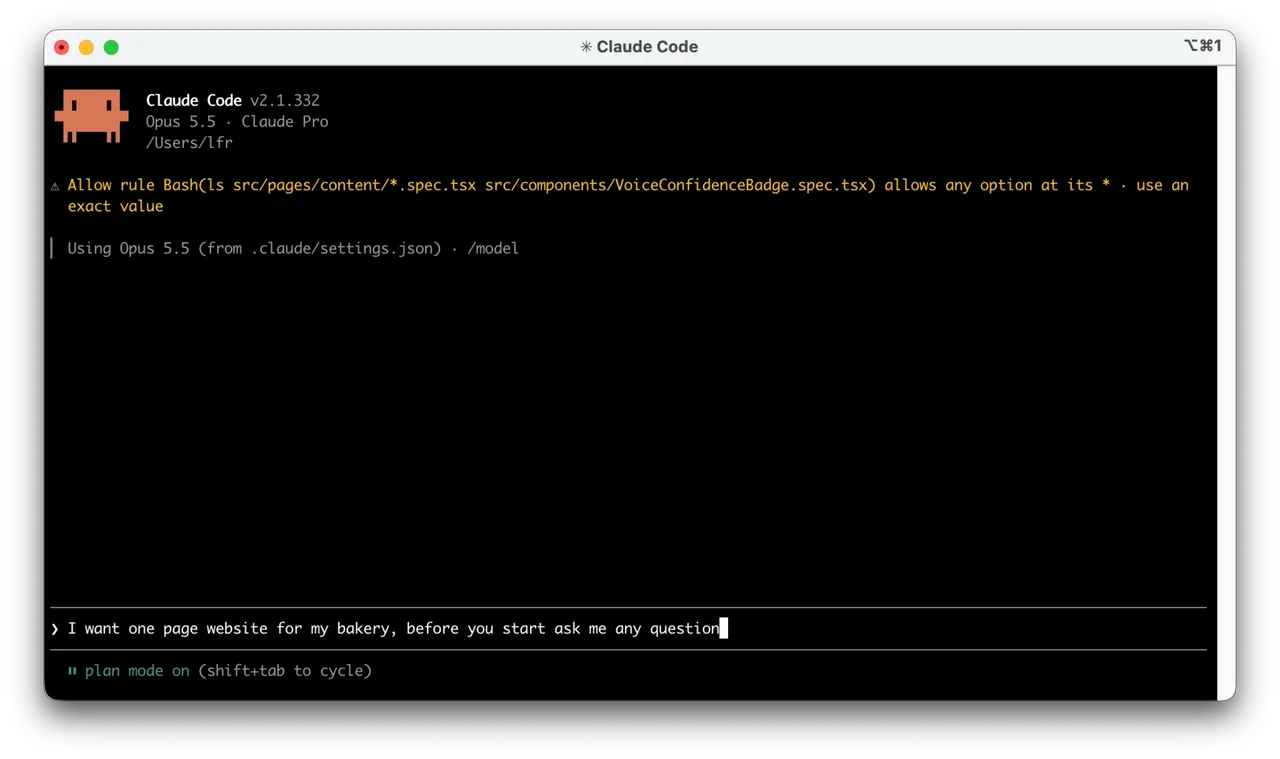
3. Answer the questions
Claude comes back with questions, often grouped in tabs you can move between. For the bakery it asked about the details (name, address, hours, contact), the style, which sections to include, and photos and hosting.
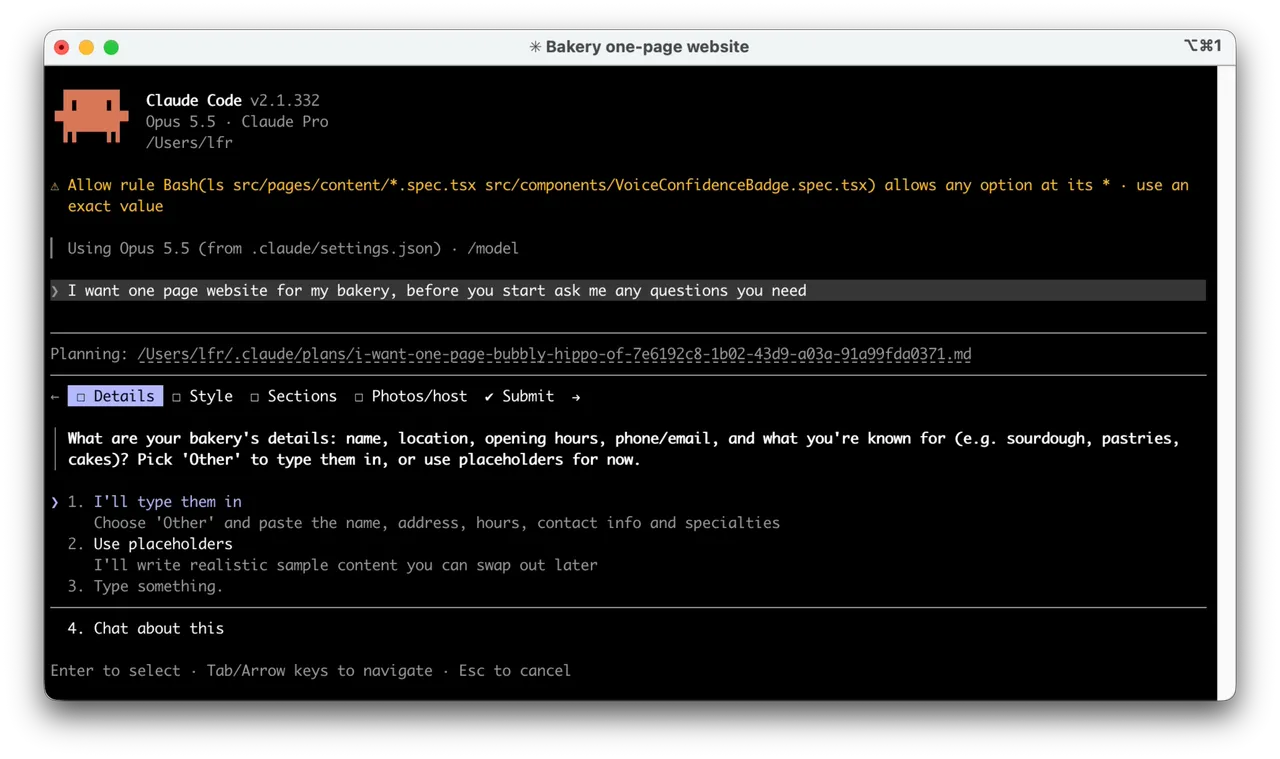
Answer each one properly. "Elegant, soft pastels, a serif font" gives Claude far more to work with than "make it nice". If you don't know yet, pick the placeholder option and swap in the real thing later.
4. Change the plan until it's right
Claude writes the plan and asks whether to go ahead. Read it before you say yes. The context section repeats your answers back, so it's quick to spot what it misunderstood.
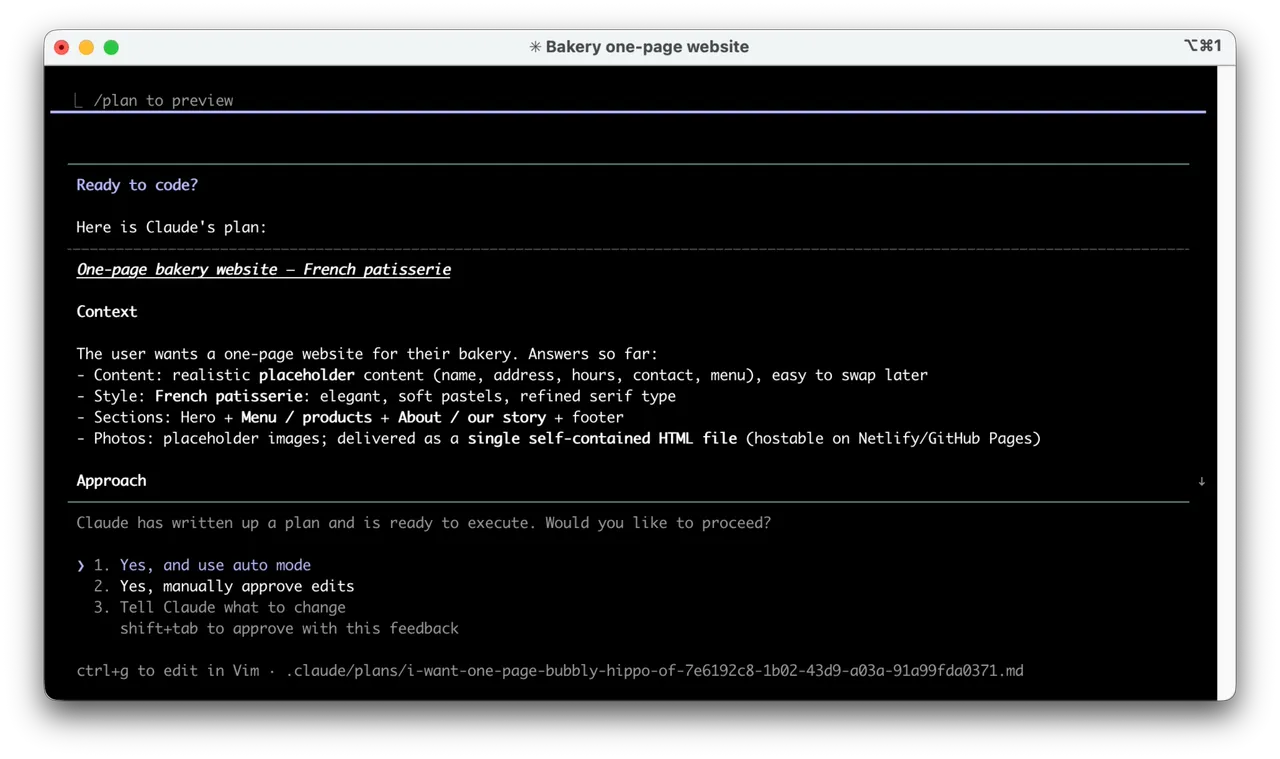
To change something, choose Tell Claude what to change and say it in a line: "Drop the photo gallery, add a map under the address." Claude rewrites the plan. You can also press Ctrl+G to open the plan in a text editor and change it yourself.
The follow-up worth asking before you approve:
Before I approve: list every decision in this plan that I didn't explicitly ask for. For each one, say what you chose and one alternative. Don't change the plan yet.5. Approve it and let Claude build
When the plan reads right, choose Yes, and use auto mode. Claude builds the whole thing without stopping to ask.
For a one-page site, Claude creates an index.html file in your folder. Double-click it to open it in your browser.
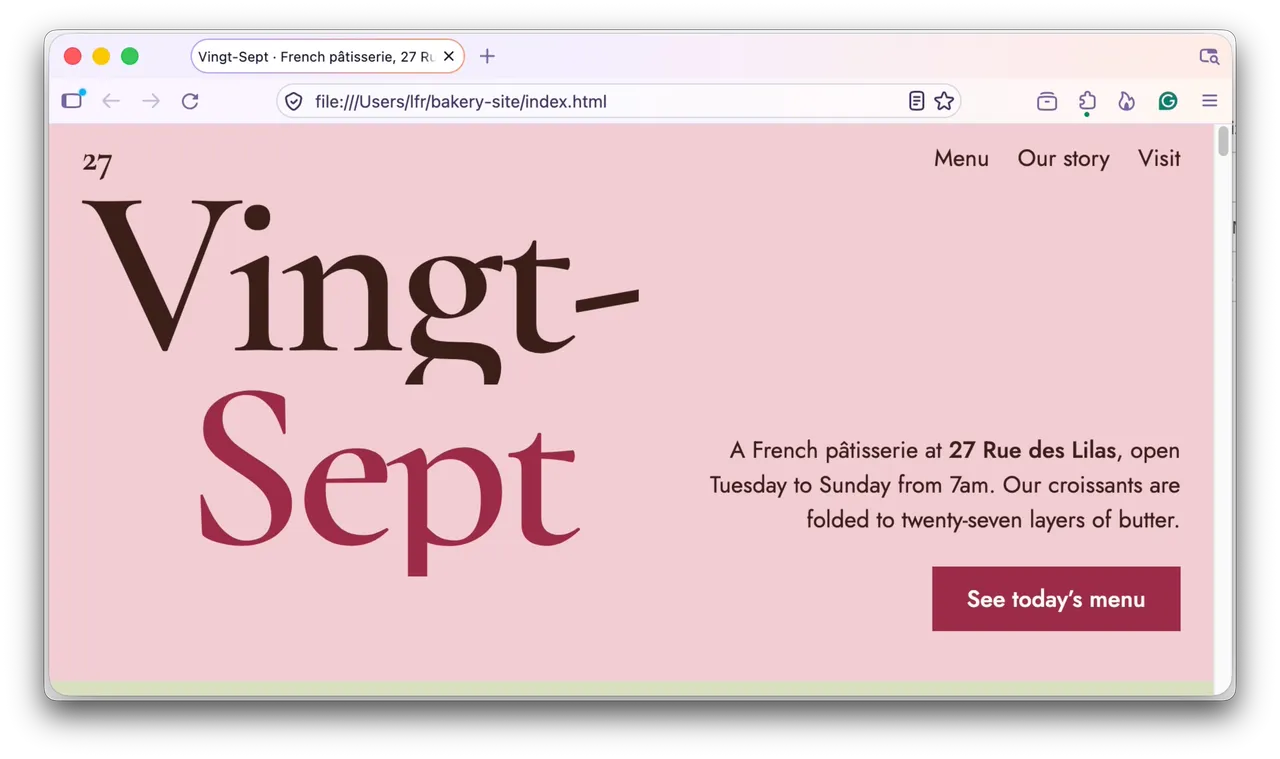
If something is off, tell Claude in plain words ("make the menu prices bigger", "the button colour is too dark"). These changes are quick, because the big decisions were made in the plan.
Common mistakes
- Skipping the questions. Without "ask me first", Claude plans on guesses. Keep step 2 even for small jobs.
- Approving the plan unread. A guess you miss in the plan ends up in the code, where it takes longer to fix. Read the assumptions list.
- Changing direction after the build. A new style or a different set of sections is a new plan. Press Shift+Tab back to plan mode and replan instead of patching.
Your action plan
- Make an empty folder and open Claude Code in it.
- Press Shift+Tab until plan mode is on.
- Paste the "Question me first" prompt with your own project in the brackets.
- Answer every question, then run "Find the guesses" on the plan.
- Approve in auto mode and open the result.
Try it tonight on the smallest thing you've been meaning to build.
Try next: 5 free add-ons for Claude Code, and what each one changes
- #claude-code
- #planning
- #websites